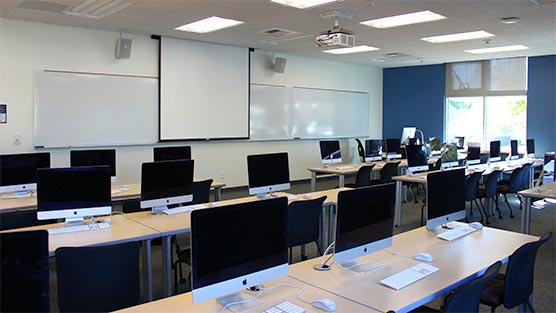
Computer Training Schedule for July 2009
Note that to register for a class, simply click the link associated with the description for EACH CLASS below.
Title: Using OneNote on the PC
Description: You’ve seen it before on the schedule, but just not had time to attend. Here comes OneNote again. Learn to easily plan, document, and organize your work using OneNote. This easy-to-use-and-learn application is available on the PC; if you have a laptop, no need to ever take pen/paper to another meeting—just undock the laptop, take it along and record notes on the spot. No need to ever re-transcribe meeting notes. OneNote will also help you organize email, conduct quick searches, set up reminders, and more. You’ve got to experience OneNote in order to believe all that it can do.
Date/Time: Friday, July 17; 10 – 11:30 a.m.
Location: Library 7 (PC Lab)
Instructor: Eileen Leese
Register for (THIS CLASS ONLY) at: http://CTLSilhouette.wsu.edu/surveys/ZS93636
--------------------------------------------
Title: Using Macros in Word and Excel 2007
Description: Comments from a recent macro class included: “I learned what a macro really was and how it can be used to save time with repetitive tasks.” This comment positively sums up why you will even care about macros—they enhance speed and accuracy. A macro is merely a recorded series of commands and instructions grouped together as a single command to execute a task automatically. Macros enhance both speed and accuracy which in turn improves your computing efficiency and effectiveness. Attend this class and learn to create, manage, and execute macros in Word and Excel.
Date/Time: Wednesday, July 22; 2 – 3:30 p.m.
Location: Library 7 (PC Lab)
Instructor: Sue Bauer
Register for (THIS CLASS ONLY) at: http://CTLSilhouette.wsu.edu/surveys/ZS93637
---------------------------------------------
Title: iPhoto: Managing Images on a Mac
Description: Wondering when Mac users are going to get their fair share of attention on the computer training schedule? This may be just the class you’ve been anticipating. Learn to effectively manage your digital images using iPhoto on your Mac computer. In this class you will learn to crop, straighten, delete red eye, and enhance photos to make our publications shine. Summer’s here—make the most of your own photos and at the same time ramp up your skills for effectively using images in the workplace.
Date/Time: Thursday, July 23; 10 – 11:30: a.m.
Location: SBET 138 (Mac Lab)
Instructor: Eileen Leese
Register for (THIS CLASS ONLY) at: http://CTLSilhouette.wsu.edu/surveys/ZS93639
---------------------------------------------
Title: Creating Your Personal Profile Web Page
Description: You’ve been thinking you need your own personal profile Web page—right? On the other hand there is never enough time to make the page engaging enough to reflect who you are and what you do. Attend this session and in two hours get your site up. You will learn how to use the CLU Weblog feature in the MyCLU portal to create your own page. This class is especially designed for faculty, but others are encouraged to attend. You might bring your curriculum vitae/resume, links to Web sites relative to your profession/career, articles you have written, images of yourself, and anything else you would like to include in the site. No problem if you don’t have anything to bring right now; there will practice data for you to use during the hands-on session.
Date/Time: Friday, July 24; 10 a.m. – 12: p.m.
Location: Library 7 (PC Lab)
Instructor: Sue Bauer
Register for (THIS CLASS ONLY) at: http://CTLSilhouette.wsu.edu/surveys/ZS93638
---------------------------------------------
Visit the CLU Microsoft Office 2007 Web Site for more information.
Remember, bring and show your CLU ID card to enter the Library.